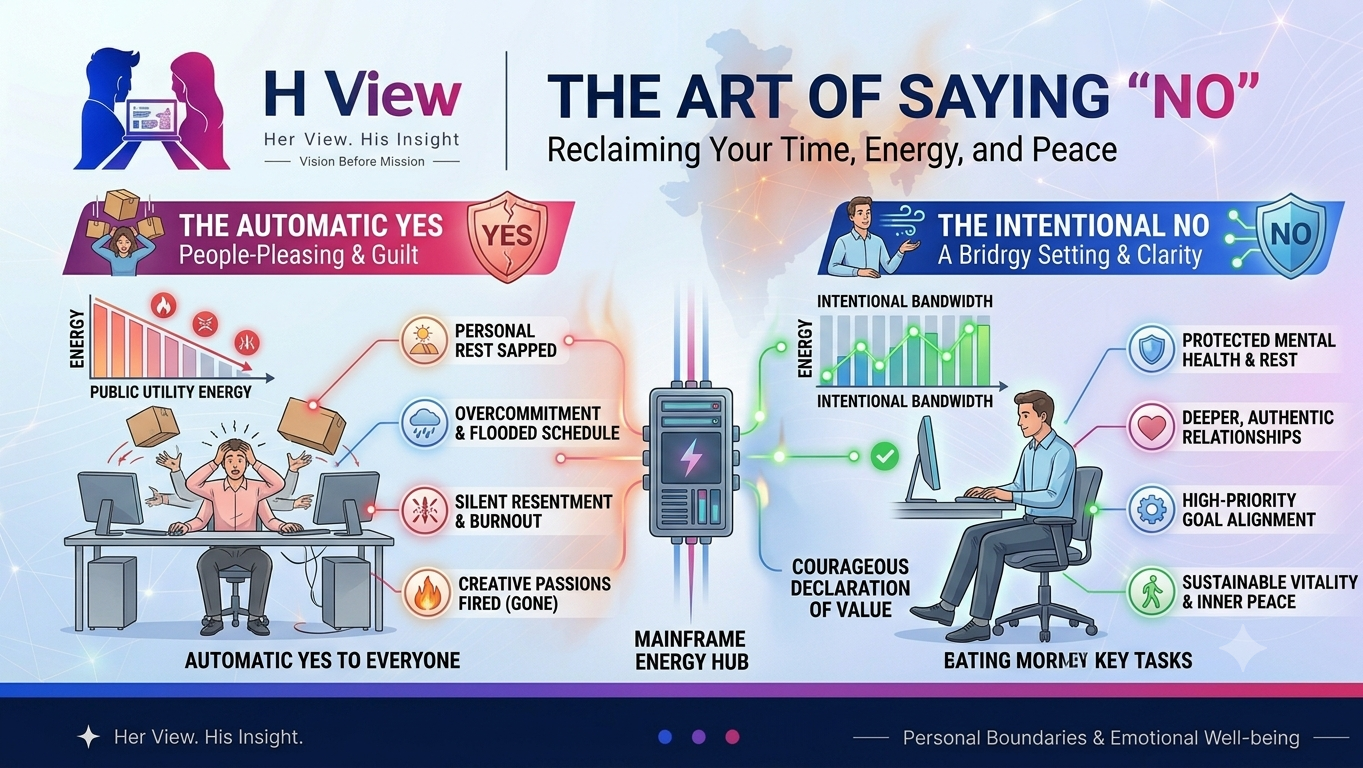
A mainframe is a high-performance computer built to run large, demanding workloads with many users and transactions at once. You rarely interact with one directly. It may sit behind a bank transfer, insurance record, government service or retail system, where software updates shared records and responds to requests from other applications.
The technology is older than the cloud, but “old” does not mean unchanged or obsolete. Modern mainframes have evolved in hardware, operating systems and software integration. At the same time, a mainframe is not automatically the best choice for every company, and its presence does not guarantee that a service will be fast, available or secure. Those outcomes depend on the full system, its configuration and the people who operate it.
What makes a mainframe different?
The word “mainframe” describes a class of enterprise computer platforms associated with high-volume transaction processing, large batch jobs and central record keeping. IBM, a major mainframe supplier, describes its current systems as designed for continuous operation, transaction processing, workload isolation and compatibility with long-running applications. These capabilities can help organizations consolidate work that would otherwise need many separate servers, but they do not remove the need for capacity planning, backups, maintenance or disaster recovery.
A mainframe environment usually includes more than the physical machine. It may involve operating systems such as z/OS or Linux, transaction-processing software, databases, security managers, storage, network services and applications written over many years. A customer’s mobile banking app could use web and cloud services at its front end while calling a mainframe system to check or update an account. The mainframe is one part of that path, not the entire service.
Transactions and batch work
Online transaction processing handles requests that need a prompt response. A card payment, account balance check or reservation may require several connected steps: validate the request, check a record, apply rules and save the result. The system has to prevent two simultaneous actions from creating inconsistent records. Mainframe transaction software is commonly used for this kind of shared, high-volume work.
Batch processing is different. It groups work and runs it on a schedule or when a large set of data is ready. Payroll, billing, statement generation and end-of-day reconciliation are examples of tasks that organizations may process in batches. A mainframe can run transaction and batch workloads on the same broader platform, though a specific business may use other systems or a hybrid design.
IBM’s technical introduction to mainframe workloads explains these two patterns—online transaction processing and batch jobs—in more detail. Understanding the distinction helps make sense of why large organizations might keep a central platform: a transaction may need an immediate answer, while a scheduled job may need to process a very large collection of records accurately.
Why banks and other organizations still use them
Some banks, insurers, retailers and public institutions depend on applications built around mainframe systems. The reasons can include high transaction volumes, predictable performance, mature operational controls, specialized hardware and the cost or risk of moving decades of business rules and data. Many organizations modernize gradually, connecting existing applications to APIs or cloud services instead of replacing every part at once.
For a customer, the value is mostly indirect. A payment provider, airline or utility needs its systems to update the same record consistently and to recover after an equipment or software problem. A mainframe may contribute to that reliability, but it cannot by itself ensure that every connected website, network, vendor service or human process works correctly. When a service fails, the cause may be elsewhere in the system.
“Mainframes support banking” is also different from “all banking transactions run on mainframes.” Banks use a mix of platforms, and the architecture varies by organization and service. Vendor statistics can help describe adoption, but they should be read with their definitions, dates and sources in mind. This article focuses on the technology’s role and trade-offs rather than making an unsupported claim about how much of the world’s money passes through it.
Security is a design capability, not a guarantee
Mainframe platforms provide security features such as access controls, workload isolation and hardware-based protection mechanisms. Those features can form part of a strong security design. IBM’s own documentation also explains that customers must add and configure security-management products and controls for their environment. In practice, protection depends on identity management, software updates, network exposure, monitoring, backup design, staff procedures and the security of connected systems.
For that reason, phrases such as “unbreakable,” “impenetrable” or “cannot be hacked” are not responsible descriptions of any computing platform. A well-managed mainframe can still be affected by stolen credentials, software flaws, misconfiguration, insider mistakes or failures in connected services. Organizations should plan for prevention, detection, response and recovery across the whole technology environment. Readers can explore H View’s reporting on cybersecurity work and skills for a broader look at the people involved in protecting digital systems.
Trade-offs and modernization
Mainframes bring real trade-offs. They can be effective for workloads that require high throughput, consistent shared records and long-term operational support. But specialized skills may be harder to recruit, older applications can be difficult to change, and licensing, hardware and migration costs need careful analysis. The financial case depends on the workload, existing agreements, utilization and the cost of alternatives—not on a blanket claim that mainframes are always cheaper or more expensive than cloud computing.
Modernization often means choosing which jobs should remain on the mainframe, which can move to other infrastructure, and how the systems should communicate. Organizations may expose selected functions as APIs, update interfaces, improve automated testing or move some development and analytics workloads elsewhere. Keeping the mainframe does not prevent modernization; replacing it does not automatically simplify the application or remove its business risks.
Before changing a critical system, a team needs to map its dependencies, data flows, peak workload, recovery requirements and regulatory obligations. It should also test how a proposed change behaves when a connected service is slow or unavailable. Decisions should be based on measured performance and total operating cost over time, with a credible migration and rollback plan.
What customers should take away
Most customers do not need to know which computer processed a routine transaction. What matters is that the service explains what happened, protects personal information, provides a way to correct errors and has a clear process when something goes wrong. Mainframes can support large enterprise systems behind the scenes, but the quality of the experience depends on the complete service, including the software, networks, security operations and customer support around the machine.
Readers interested in how computing infrastructure relates to India’s broader technology choices can also read H View’s analysis of digital independence and technology. For more practical technology coverage, browse H View’s Tech section.
H View perspective
The mainframe is neither a dusty relic nor a magic shield. It is a specialized computing platform that continues to fit some large organizations’ transaction and record-keeping needs, while other work may be better served by cloud or distributed systems. A useful evaluation asks which workload needs which capability, how security and recovery are operated, and whether the costs and skills remain sustainable. IBM’s mainframe overview and its documentation on transaction and batch workloads provide vendor technical context; independent procurement or security decisions should also weigh an organization’s own requirements and evidence.
Frequently asked questions
Are mainframes still used today?
Yes. Some large organizations continue to use mainframes for transaction processing, batch jobs and important records, often alongside cloud and distributed systems. Use varies by company and application.
Are mainframes more secure than cloud servers?
There is no simple answer for every deployment. Mainframes offer specific security controls, but real protection depends on configuration, operations and connected services. A poorly managed system can be vulnerable regardless of platform.
Does a mainframe store all the bank’s data?
Not necessarily. Banks use different architectures, and a service may spread data and processing across mainframes, databases, cloud platforms and external networks. The exact setup depends on the institution and application.
Is mainframe modernization the same as replacing it?
No. Modernization can include new interfaces, APIs, testing and cloud integration while some core workloads remain on the mainframe. Replacing it is one possible strategy, but it requires separate cost, risk and migration analysis.